
Equipment
Analogue or digital FPV goggles – which to choose
Digital FPV systems give a much sharper image; analogue offers simplicity, low weight and constant latency. Analogue, DJI, Walksnail and HDZero compared.
- By Power Technology training team
- 9 min read
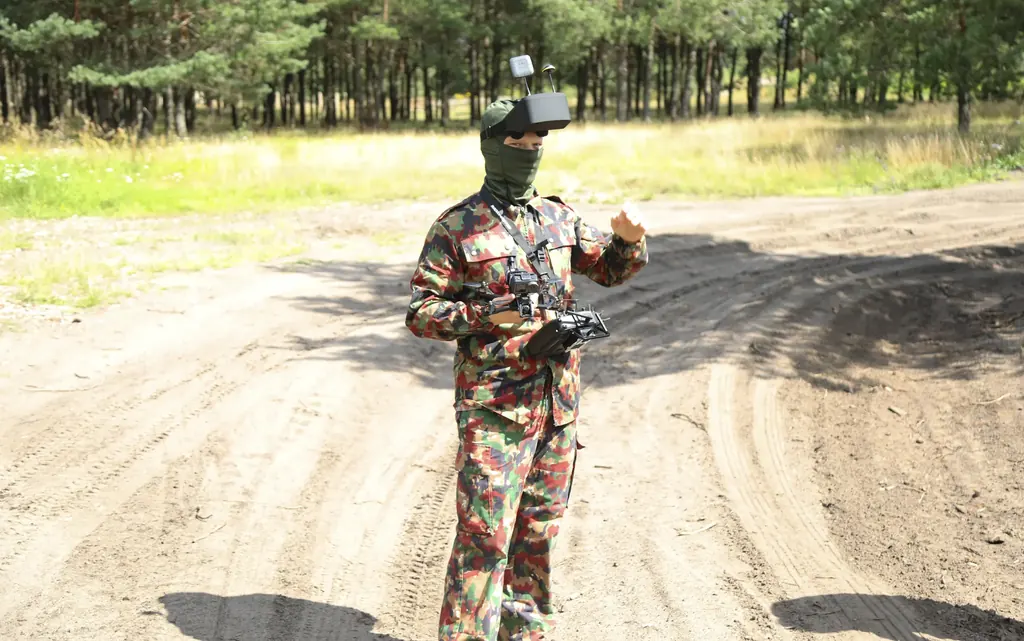
Digital FPV systems (DJI, Walksnail Avatar, HDZero) give a noticeably sharper image, make it easier to judge the distance to a branch or an obstacle, and their goggle recordings are good enough for flight analysis. Analogue wins on simplicity, low weight, compatibility between manufacturers, and the fact that as the signal weakens the image breaks up into "snow" gradually instead of freezing. If you are starting out and value comfort and a clear image, choose a digital system; analogue makes sense when you build small drones, fly in large groups or want the simplest possible setup.
How analogue and digital video differ
In an analogue system the camera sends the image to a video transmitter (VTX), which broadcasts it in the 5.8 GHz band in a way similar to old-style television. There is no compression and no buffering – the goggles display whatever they receive. The result is low resolution, noise and colour distortion, but also very predictable behaviour.
A digital system encodes the image, transmits it as data and decodes it in the goggles. This lets you see an HD image, a legible OSD and fine details such as thin branches or wires. The price is complexity: encoding takes time and processing power, and when the signal is weak the system has to decide what to do with the missing data.
HDZero takes a different route: it transmits the image digitally but without typical codec compression, prioritising very low and constant latency over maximum detail1.
Latency and smoothness – what you feel on the sticks
Latency is the time from something happening in front of the camera to it appearing in the goggles. In fast flight between obstacles every difference is noticeable; in calm recreational flying, much less so.
- Analogue has very low and constant latency, which is why it was the racing standard for a long time.
- HDZero's "glass-to-glass" latency, i.e. from the camera lens to the display in the goggles, is stated by the manufacturer as below 3 ms with its own camera and the HDZero Goggle 21.
- DJI states latency from approx. 20 ms for the O4 Air Unit and from approx. 15 ms for the O4 Air Unit Pro – under specific conditions: with DJI Goggles 3 and in 1080p/100 fps mode2.
Treat manufacturers' figures as the best case, not a value guaranteed on every flight. For most beginners, whether the image is stable and legible matters more than a few milliseconds. Smoothness matters too: the higher the frame rate, the easier it is to judge the drone's movement at high speed.
Range and behaviour with a weak signal
Manufacturers quote impressive ranges. DJI claims up to 6 km for the O4 Air Unit and up to 8 km for the Pro version in CE mode, under ideal conditions2. In practice these figures matter little to you. In the open category, when flying with goggles you must have an observer who can see the drone at all times3. So the drone flies within visual line of sight, and image quality depends more on obstacles between you and the drone than on distance.
What matters more is how the system behaves when the signal weakens:
- Analogue: the image gradually fills with noise, but you can usually still see the outline of the terrain and turn back.
- Digital systems with compression: image quality drops first, and if the signal deteriorates further the image may stutter or freeze. A frozen frame during fast flight close to the ground usually means a crash.
- HDZero: the image is not buffered, so as the signal weakens you usually get increasing interference rather than a freeze.
In every system the video signal weakens quickly behind trees, buildings and embankments. Learn to recognise the first signs of a weak signal in your goggles and turn back straight away, not after the image freezes.
Antennas matter more than transmitter power
Before you start looking for a "more powerful" transmitter, check your antennas. The antenna polarisation on the drone and on the goggles must be the same – a right-hand (RHCP) antenna paired with a left-hand (LHCP) one gives noticeably weaker reception. On the drone, place the antenna away from the propellers and so that the carbon-fibre frame does not block it in typical flight attitudes. Goggles with two receivers often combine an omnidirectional antenna with a directional (patch) one – the directional antenna improves reception where you usually fly, but only when you are facing the drone.
After every crash, inspect the video antenna: a crushed or torn-off tip can drastically shorten video range. Never power a video transmitter without an antenna connected – you can damage it.
The 5.8 GHz band and transmitter power – rules in Europe
In Europe the 5725–5875 MHz band for short-range devices is available without a radio licence at power levels up to 25 mW e.i.r.p.4 This limit covers the radiated power including antenna gain, not just the setting in the transmitter menu.
What this means in practice:
- Set an analogue transmitter to the lowest power level that, together with your antenna's gain, stays within the 25 mW e.i.r.p. limit, and use only channels that lie entirely within 5725–5875 MHz. Popular channel tables also include frequencies outside this range.
- European versions of digital systems have limited power. DJI states a power below 14 dBm, i.e. about 25 mW, for the O4 in CE mode in the 5.8 GHz band2.
- Do not switch your goggles or transmitter to a mode intended for another region to gain range. In Europe you would then be operating the device outside its permitted conditions.
- Higher power or other frequencies require a radio licence, e.g. under the amateur radio service, and are subject to separate rules. If you are considering this route, check the requirements with your national telecoms regulator (in Poland, UKE).
The systems compared in one table
| Feature | Analogue | DJI O4 | Walksnail Avatar | HDZero |
|---|---|---|---|---|
| Image quality | Low, with noise | High | High | Good, usually less detailed than DJI and Walksnail |
| Latency | Very low, constant | Low, mode-dependent | Low, mode-dependent | Very low, constant |
| Weak signal | Noise increases gradually | Quality drops, then stutters | Quality drops, then stutters | Interference increases gradually |
| Hardware compatibility | Across manufacturers | DJI goggles only | Walksnail system only | HDZero system only; the goggles also receive analogue |
| Recording in goggles | Low quality | High quality | High quality | Good quality |
A few details that may decide your choice: the HDZero Goggle 2 has a built-in analogue receiver plus HDMI input and output1, and the Walksnail Avatar HD Goggles X has an analogue AV input and an HDMI input5. An HDMI input is useful for simulator practice in your goggles.
What to choose to start with – typical scenarios
You are learning to fly and want comfort
Choose a digital system. A clear image reduces eye strain, you will judge the distance to obstacles more easily, and you can use goggle recordings to analyse your mistakes. Commit to one ecosystem and stick with it – one manufacturer's goggles will not receive video from another manufacturer's digital transmitter.
You want to race or fly in a large group
Consider analogue or HDZero. Constant, very low latency and predictable behaviour under interference matter a lot here. Before you buy, also check which system is used at the competitions or by the group you want to fly with.
You build very small drones
On the smallest drones every gram counts. Analogue offers the most lightweight options, although digital system manufacturers also offer lightweight transmitter versions. DJI states the weight of the O4 Air Unit with camera as approx. 8.2 g, and the Pro version as approx. 32 g2.
You already have a drone with a transmitter fitted
If you bought a ready-to-fly drone, your choice of goggles is largely determined by the video transmitter fitted in it. Check carefully which system and which generation of goggles it is compatible with before you order goggles – even within one manufacturer, not every pair of goggles supports every transmitter.
You expect frequent crashes
An analogue camera and transmitter are simple and easy to replace after a crash. In digital systems, repairing a damaged camera or module can be more troublesome.
What to look for when choosing goggles
Whatever the system, check a few things that determine comfort in the field:
- Interpupillary distance (IPD) – the adjustment range must cover yours, otherwise the image will be blurred or doubled.
- Vision correction – some goggles have adjustable dioptres; for others you buy corrective inserts.
- Field of view – a larger one gives better immersion, but if it is too large you have to move your eyes to read the OSD.
- Foam fit and weight – after an hour of flying these matter more than the figures in the specification.
- Power – check which battery the goggles use and how long they run on one charge.
- Lens fogging – on a cool, damp morning goggles without a fan can fog up within a few minutes.
- Recording – check whether the goggles record the image together with the OSD and which memory cards they need. Recordings are the best tool for analysing mistakes after a flight.
If you can, try the goggles on before buying. Fit to your face and interpupillary distance are often more important than differences in the specification.
Key points
- Digital systems give a much better image and recordings; analogue gives simplicity, low weight and constant, very low latency.
- With a weak signal, analogue "snows" gradually, while digital systems with compression may stutter or freeze the image.
- Catalogue ranges matter little, because in the open category you fly in goggles with an observer who can see the drone.
- In Europe, the licence-free limit in the 5725–5875 MHz band is 25 mW e.i.r.p. – do not change the region setting in your goggles.
- Choose one digital ecosystem, because goggles and transmitters from different manufacturers do not work with each other.
- When buying goggles, check interpupillary distance, vision correction, fit and HDMI input.
HDZero, HDZero Goggle 2 – product page: https://www.hd-zero.com/product-page/hdzero-goggle-2 ↩ ↩ ↩
DJI, O4 Air Unit Series – specifications: https://www.dji.com/o4-air-unit/specs ↩ ↩ ↩ ↩
EASA, Drones (UAS) – frequently asked questions (flying with FPV goggles in the open category): https://www.easa.europa.eu/en/the-agency/faqs/drones-uas ↩
CEPT/ECC, ERC Recommendation 70-03 Relating to the use of Short Range Devices (SRD), February 2025 edition, Annex 1: https://docdb.cept.org/download/4635 ↩
Caddx/Walksnail, Walksnail Avatar HD Goggles X – product page: https://www.caddxfpv.com/products/walksnail-avatar-hd-goggles-x ↩